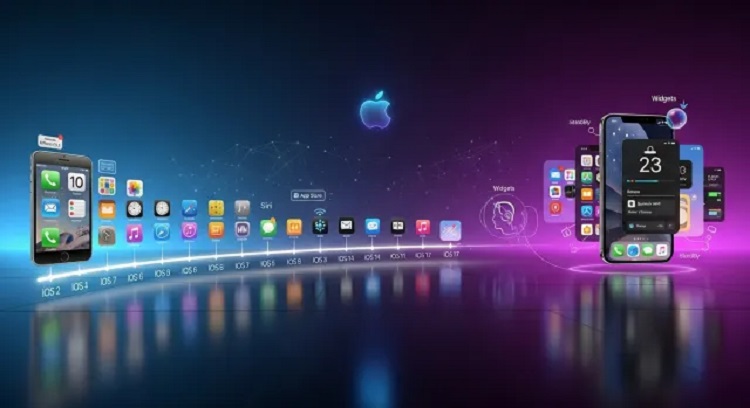
Apple’s iOS has transformed from a simplified mobile operating system for the original iPhone into a sophisticated powerhouse that dictates the standards of the global smartphone industry. By prioritizing user experience, security, and tight integration with proprietary hardware, iOS has built a loyal ecosystem that remains the benchmark for mobile computing. Understanding the nuances of iOS requires a deep dive into its layered architecture, its design philosophy, and the unique features that distinguish it from its competitors.
The Foundation of iOS Architecture
At its core, iOS is built upon a Unix-based foundation known as Darwin. This provides the stability and performance required to manage complex tasks on a handheld device. The operating system is structured into four distinct layers, each serving a specific purpose in the execution of applications and system processes.
The Core OS Layer
The lowest level of the hierarchy, the Core OS layer, sits directly on top of the hardware. it manages low-level tasks such as memory management, file system handling, and networking. This layer includes the kernel environment and the drivers necessary for the hardware to communicate with the software. By keeping these functions at the base level, Apple ensures that system resources are allocated efficiently without compromising speed.
The Core Services Layer
Moving up, the Core Services layer provides the fundamental system services that all applications use. This includes features like the Address Book, Core Data for database management, and Grand Central Dispatch for multi-core processing. This layer is essential because it allows developers to access complex system functionalities through standardized APIs, ensuring consistency across the entire platform.
The Media Layer
The Media Layer is responsible for the audiovisual experience. It contains the frameworks for 2D and 3D graphics, audio recording and playback, and video processing. Technologies like Metal, which provides near-direct access to the Graphics Processing Unit (GPU), reside here. This allows iOS devices to handle high-fidelity gaming and professional-grade video editing with ease.
The Cocoa Touch Layer
The topmost layer is the Cocoa Touch layer, which defines the visual interface and user interaction patterns. It provides the frameworks for touch-based input, multitasking, and gesture recognition. When a user swipes, pinches, or taps, the Cocoa Touch layer interprets those physical actions into software commands.
The Design Philosophy: Simplicity and Intuition
One of the primary reasons for the success of iOS is its commitment to “Human Interface Guidelines.” Apple emphasizes three core themes: deference, clarity, and depth.
-
Deference: The UI should help the user understand and interact with the content but never compete with it.
-
Clarity: Text should be legible at every size, icons should be precise and lucid, and adornments should be kept to a minimum.
-
Depth: Visual layers and realistic motions impart vitality and heighten the user’s understanding of the digital space.
By adhering to these principles, iOS creates an environment where even a first-time user can navigate the system with minimal friction. The consistency of design across different apps—ranging from the Settings menu to third-party social media platforms—ensures that the learning curve remains flat.
Security and Privacy as a Pillar
Apple has positioned privacy not just as a feature, but as a fundamental human right. This philosophy is deeply embedded in the code of iOS. Unlike other operating systems that may rely on data harvesting for revenue, the iOS business model focuses on hardware and services, allowing for a more aggressive stance on user data protection.
Sandboxing and Code Signing
Every application in iOS runs in its own “sandbox.” This means an app cannot access data from another app or make changes to the system files without explicit permission. Furthermore, all apps must be digitally signed by Apple. This vetting process in the App Store ensures that malicious software is caught before it ever reaches a user’s device.
Secure Enclave and Biometrics
Modern iPhones utilize a dedicated hardware component called the Secure Enclave. This isolated subsystem handles biometric data for Touch ID and Face ID. The actual mathematical representation of a user’s face or fingerprint never leaves the device and is never uploaded to the cloud, providing a hardware-level layer of protection against identity theft.
The App Store Ecosystem
The App Store is the gateway through which iOS delivers its value. Since its inception in 2008, it has grown into a multi-billion dollar economy. Apple maintains a “walled garden” approach, which, while often debated, offers several benefits to the end user:
-
Quality Control: Apps must meet strict performance and design standards.
-
Simplified Payments: Users can manage all subscriptions and purchases through a single Apple ID.
-
Seamless Updates: The system handles app updates in the background, ensuring users always have the latest security patches.
This ecosystem encourages developers to optimize their software specifically for the limited range of iPhone hardware, resulting in better performance compared to platforms where software must be compatible with thousands of different hardware configurations.
Integration and the Continuity Feature Set
A significant advantage of iOS is how it interacts with the broader Apple ecosystem, including macOS, iPadOS, and watchOS. This concept, known as Continuity, allows for a seamless transition between devices.
-
Handoff: Start an email on an iPhone and finish it on a Mac with a single click.
-
Universal Clipboard: Copy text or an image on one device and paste it onto another nearby device.
-
AirDrop: A proprietary wireless protocol that allows for the instantaneous transfer of files between Apple devices without the need for an internet connection.
-
iCloud Syncing: Photos, notes, and documents are updated in real-time across all logged-in devices, eliminating the need for manual file management.
The Impact of Regular Software Updates
Apple holds a distinct advantage in software distribution. Because the company controls both the hardware and the software, it can push updates to nearly all compatible devices simultaneously. This prevents “fragmentation,” a common issue in the mobile industry where many users remain on outdated, vulnerable versions of an operating system. Regular updates not only introduce new features but also ensure that the entire user base is protected against the latest digital threats.
Accessibility and Inclusive Design
iOS is often cited as the most accessible mobile platform. Apple integrates features like VoiceOver, a gesture-based screen reader, and AssistiveTouch, which helps users with motor impairments navigate the screen. There are also features for the hearing impaired, such as “Live Listen,” which can turn an iPhone into a remote microphone for hearing aids. These tools are built into the core of the OS, rather than being afterthoughts, making technology accessible to a wider demographic.
Frequently Asked Questions
What is the difference between iOS and iPadOS?
While both share the same foundation and many features, iPadOS is specifically optimized for the larger screen of the iPad. It includes advanced multitasking capabilities like Split View and Slide Over, a desktop-class Safari browser, and specific support for the Apple Pencil and external trackpads that are not found in the standard iPhone version of iOS.
How does iOS manage background app activity to save battery?
iOS uses a technique called “App Refresh” and “Intelligent Scheduling.” Instead of allowing all apps to run freely in the background, the system learns your usage patterns. It grants resources to apps you use frequently just before you typically open them, while suspending others to conserve CPU cycles and battery life.
Can iOS devices be infected with viruses like a traditional computer?
While no system is 100% immune, iOS is significantly less susceptible to traditional viruses. This is due to its sandboxed architecture and the requirement that all software must be downloaded from the moderated App Store. Most “infections” on iOS are actually phishing attempts or malicious profiles rather than self-replicating viruses.
What happens to my data when I perform an iOS backup to iCloud?
When you back up to iCloud, your data is encrypted during transmission and stored in an encrypted format on Apple’s servers. This includes your device settings, app data, messages, and photos. If you have Advanced Data Protection enabled, Apple uses end-to-end encryption, meaning only you have the keys to decrypt your information.
Why does iOS sometimes take up a large amount of “System Data” storage?
System Data consists of caches, logs, and temporary resources used by the OS. This includes Siri voices, font assets, and local database indexes. The system is designed to manage this automatically, deleting these files when you need more space for photos or new apps.
What is the role of the Swift programming language in iOS development?
Swift is a powerful and intuitive programming language created by Apple for building iOS apps. It replaced Objective-C as the primary language because it is faster, safer, and easier to read. Swift is designed to eliminate common coding errors, resulting in apps that are more stable and perform better on the hardware.
How does the iOS “Find My” network function without an internet connection?
The “Find My” network uses a crowdsourced approach. If an Apple device is lost and offline, it can emit a secure Bluetooth signal that can be detected by other nearby Apple devices. These devices then anonymously relay the location of the lost item to the owner via the cloud, all while maintaining strict end-to-end encryption to protect the privacy of everyone involved.
