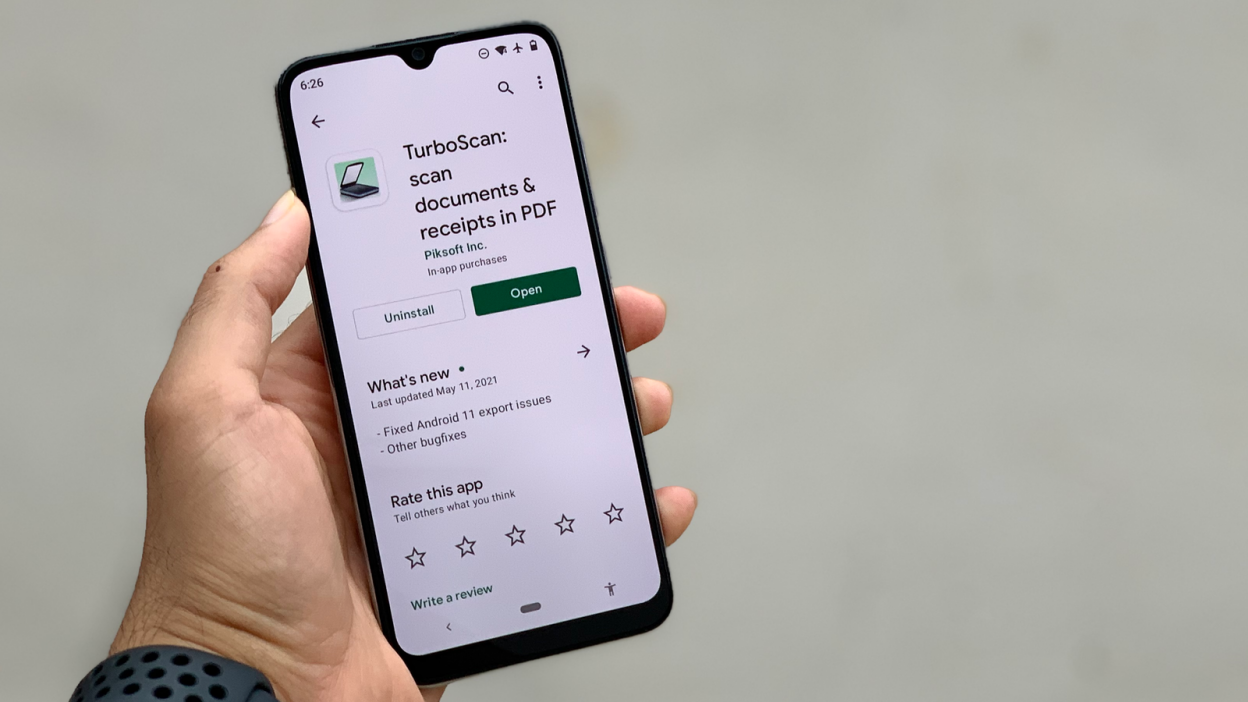
In today’s fast-paced digital world, the ability to swiftly and accurately digitize documents has become an essential requirement for both professionals and everyday users. With smartphones serving as our primary tools for communication and productivity, scanner apps for Android have surged in popularity, offering a convenient solution for capturing and managing documents on-the-go. Selecting the best scanner app can significantly enhance your workflow, whether you’re a business professional needing to share contracts, a student organizing lecture notes, or a remote worker handling paperwork. The right app not only allows for high-quality scanning but also provides features such as OCR (Optical Character Recognition), multi-page scanning, and cloud integration, ensuring that your documents are easily accessible and editable. In this article, we will explore the top scanner apps available for Android devices, highlighting their unique features, user-friendliness, and overall performance. By the end, you’ll be equipped with the knowledge to choose the perfect scanning solution that meets your needs, streamlining your document management process and making your life just a little bit easier. Join us as we delve into the best scanner apps that promise efficiency and ease in transforming your physical documents into digital files.
Key Features of Top Scanner Apps
A reliable scanner app for Android typically incorporates OCR (Optical Character Recognition) technology, enabling users to convert scanned documents into editable text. This feature is essential for individuals who require not just images of their documents, but also the ability to manipulate and reuse text seamlessly. Additionally, the best scanner apps offer various file format options for saving scanned documents, including PDF and JPEG, catering to diverse user needs.
User-friendly interfaces further enhance the experience, allowing for easy navigation and quick access to essential functions like batch scanning and cloud integration. Many top-tier scanner applications also provide robust security features, ensuring that sensitive information is protected through encryption and secure sharing options. These functionalities make a scanner app for Android not just a tool for capturing images, but a comprehensive solution for document management and organization.
Discover essential features to look for in a scanner app for Android.
When selecting a scanner app for Android, it’s crucial to evaluate its ability to produce high-quality scans with minimal effort. Look for features such as auto-cropping and image enhancement, which optimize scanned documents by improving clarity and correcting distortions. The inclusion of customizable scanning settings, such as resolution adjustments and color options, allows users to tailor the scanning process to meet their specific requirements, whether for professional reports or personal documents.
Another important consideration is the app’s compatibility with various cloud storage services, facilitating easy sharing and backup of documents. A well-designed scanner app for Android should also support collaboration features, enabling multiple users to access and annotate documents seamlessly. Additionally, regular updates and customer support are vital for maintaining the app’s functionality and security. By prioritizing these essential features, users can ensure they select a scanner app that not only meets their immediate needs but also adapts to their evolving workflow.
User-Friendly Interfaces for Efficiency
A user-friendly interface plays a critical role in enhancing efficiency when utilizing a scanner app for Android. Intuitive navigation and clear iconography reduce the learning curve, allowing users to quickly familiarize themselves with the app’s functionalities. Features such as guided workflows and contextual help ensure that even novice users can perform complex tasks without frustration. A clean, uncluttered layout minimizes distractions, allowing users to focus on the scanning process itself, thereby increasing productivity.
Moreover, the integration of smart features like one-tap scanning and batch processing streamlines operations, enabling users to complete tasks with fewer taps and less time spent navigating menus. This efficiency becomes especially valuable in professional environments where time is of the essence. An app that prioritizes a seamless user experience can significantly enhance overall satisfaction and user retention, ensuring that the technology works in harmony with their workflows rather than hindering them.
Explore scanner apps that prioritize ease of use for seamless document scanning on Android.
When assessing the landscape of scanner apps for Android, a few standout options emphasize simplicity and functionality. Apps that incorporate features such as automatic edge detection and perspective correction minimize the need for manual adjustments, enabling users to capture high-quality scans effortlessly. These capabilities ensure that documents are scanned with precision, reducing the time spent on post-scanning edits and adjustments.
Additionally, the ability to quickly share scanned documents via email or cloud services enhances the overall efficiency of the scanning process. Many of these scanner apps for Android also allow users to organize their scans into folders, making it easier to manage documents. This level of organization, combined with straightforward sharing options, positions these apps as ideal solutions for both personal and professional use, catering to anyone who values speed and ease of use in their document management tasks.
Comparing Performance of Popular Options
Evaluating the performance of various scanner app for Android reveals notable differences in features, speed, and user experience. Some apps excel in processing speed, allowing users to capture multiple pages rapidly, while others prioritize image quality, offering advanced enhancement tools for improved clarity and legibility. Features such as OCR (optical character recognition) capabilities can also vary significantly, with some applications providing better accuracy in text recognition than others, directly impacting utility for tasks such as digitizing printed documents.
User interface design is another critical aspect that influences the overall performance of these apps. Intuitive navigation and customizable settings can greatly enhance user satisfaction, making it easier to navigate through the scanning process. Additionally, integrations with other productivity tools and cloud storage solutions further expand the functionality of these scanner apps for Android, catering to diverse user needs. As such, a careful comparison of these elements can guide users in selecting the most suitable scanner app that aligns with their specific requirements and preferences.
Analyze the speed and accuracy of the best scanner apps for Android devices.
When assessing the speed of various scanner apps for Android, it is evident that top contenders are designed to minimize latency, allowing for swift capturing and processing of images. Apps that leverage cloud processing often demonstrate faster performance, as they efficiently handle image enhancement and text recognition without burdening the device’s resources. In contrast, some apps may experience delays with intricate processing tasks or when handling high-resolution images, which can hinder productivity in real-time scenarios.
Accuracy is another critical metric that sets apart the leading scanner apps for Android. High-performing applications use advanced algorithms to ensure precise image capture and reliable optical character recognition. This results in fewer errors and higher fidelity in text recognition, essential for users who rely on digitizing documents for professional purposes. The integration of machine learning technologies in certain apps further enhances their ability to adapt to different fonts and layouts, thereby improving overall accuracy and user experience.
In conclusion, selecting the right scanner app for your Android device can significantly enhance your productivity and streamline your document management process. The apps we’ve highlighted offer a variety of features tailored to meet different needs, whether you require advanced image processing, cloud integration, or user-friendly interfaces. As mobile technology continues to evolve, these scanning solutions not only provide convenience but also ensure high-quality results that can rival traditional scanners. By choosing one of these top picks, you can transform your smartphone into a powerful scanning tool, making it easier than ever to digitize important documents on the go.
